













Spin Samurai Casino App: iOS / Android Download Guide
Spin Samurai Casino on Mobile: App and Browser Version
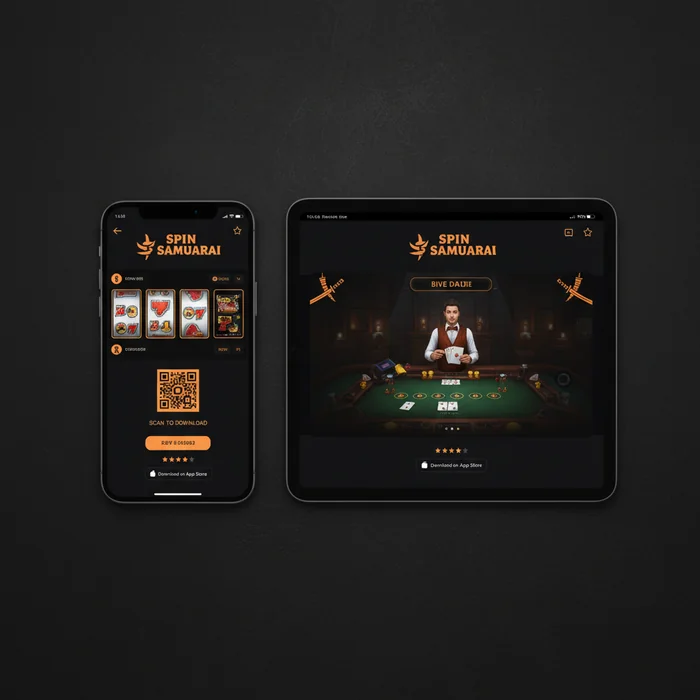
Spin Samurai Casino works on mobile devices via an adapted browser interface for iOS and Android — no native app required.
Our mobile offering comes in two forms: a browser-based version that works instantly without any download, and the option to save our site as a Progressive Web App on your home screen. Both options give newcomers full access to over 3,000 games, all payment methods, and 24/7 live chat – no technical knowledge required.
The Difference Between a Native App and a Mobile Browser Casino
We currently don't offer a classic native app – the kind you'd download from the App Store or Google Play. That's an honest point new players should know upfront. What we provide instead is a fully mobile-optimized website that runs just as smoothly in the browser as an installed app. Load times, touch navigation, and screen adaptation are all specifically designed for smartphones and tablets.
The practical advantage: no download, no storage usage, no manual updates. If you open the site in Safari (iOS) or Chrome (Android) and save it as a shortcut on your home screen, you get an app-like experience – including full-screen mode. For newcomers, this is often even simpler than going through an app store.
| Platform | Minimum Version | Download | App Size |
|---|---|---|---|
| iOS (Safari) | iOS 13 or higher | No download – browser | No storage required |
| Android (Chrome) | Android 8.0 or higher | No download – browser | No storage required |
| Windows (Desktop Browser) | Windows 10 or higher | No download – browser | No storage required |
| Mobile Browser (general) | Up-to-date browser recommended | Directly via spinsamuraislot.com | — |
| Tablet (iOS/Android) | Same requirements as smartphone | No download – browser | No storage required |
Mobile Browser Version: Over 3,000 Games on Your Smartphone
Our mobile casino gives new players instant access to our entire game catalogue – with no restrictions compared to the desktop version. Over 3,000 titles from providers like NetEnt and Microgaming are available on smartphone, including slots, live casino tables, and table games. If you've never played online before, you can start in demo mode – free of charge, no deposit, no risk.
The game selection on mobile covers all the major categories: classic slots, video slots with bonus rounds, roulette, blackjack, and live dealer tables. For newcomers, we especially recommend games with low minimum bets – many table games start at under one dollar per round, making it easy to get familiar without a significant financial commitment.
Compatibility with iOS and Android Devices
Spin Samurai iOS users access the platform through Safari – from iOS 13 onwards, the site runs smoothly without any display issues. On the Android side, we recommend Chrome on Android 8.0 or later. Both systems support full-screen mode when the site is saved as a home screen shortcut. The whole process takes less than 30 seconds and requires no technical knowledge whatsoever.
For Spin Samurai Android users, there's one important distinction: since we don't offer an APK file for direct download, there's no risk of installing unsafe third-party files. The browser-based solution is the cleaner choice from a security standpoint – especially for newcomers who aren't yet familiar with APK installations.
Game Quality and Load Times on Mobile Devices
On a stable Wi-Fi connection, load times on our mobile platform are typically under 3 seconds per game launch. Over a 4G connection, you can generally expect 4–6 seconds – which is well within the industry standard for browser-based casinos. Live casino games require a more stable connection than standard slots, as they stream continuous video.
Game graphics are optimized for mobile devices: NetEnt and Microgaming titles automatically scale to fit any screen size. Touch controls work intuitively – spin, increase your bet, trigger bonus rounds. For newcomers, this is a real advantage since no mouse or keyboard is needed.
Mobile Deposits via Visa and Neosurf on the Go
Making deposits on mobile works exactly the same as on desktop – fully and without any limitations. Our minimum deposit is AU$15 (or $15), making it accessible even for players on a tight budget. Visa and Neosurf are our two supported deposit methods, and both can be used seamlessly through the mobile browser.
For newcomers, Neosurf is particularly appealing: the prepaid vouchers require no bank account and can be used anonymously. If you're making your first online deposit and don't want to enter credit card details, this is a straightforward alternative. Visa deposits are typically credited instantly – the amount appears in your player account right away.
| Payment Method | Minimum Deposit | Processing Time | Available on Mobile |
|---|---|---|---|
| Visa | $15 / AU$15 | Instant | Yes |
| Neosurf | $15 / AU$15 | Instant | Yes |
| Cryptocurrencies | Varies by coin | 0–24 hours | Yes |
The Spin Samurai mobile bonus for new players is identical to the desktop offer: up to AU$1,200 plus 100 free spins, or alternatively a 125% bonus on your first deposit from $15. The wagering requirements are 45x the bonus amount. In practical terms: a $100 bonus requires $4,500 in wagers before a withdrawal is possible. This is an important point for newcomers to understand before making their first deposit – 45x is above the industry average of around 30–35x.
Fast Crypto Withdrawals Directly from Your Mobile Device
Cryptocurrency withdrawals are among the fastest options on our platform – typically processed within 0 to 24 hours. That's significantly quicker than traditional bank transfers, which typically take 3–5 business days. If you want to withdraw on the go, the entire process can be handled through the mobile browser: submit a withdrawal request, enter your wallet address, and confirm.
For newcomers who don't yet have experience with crypto wallets, we recommend familiarizing yourself with the basics beforehand. Our platform supports crypto transactions, but setting up a wallet is outside our system. If you'd rather stick with Visa, withdrawals are available there too – processing times will be longer and depend on your card provider.
Tips for the Best Mobile Gaming Experience at Spin Samurai
Behind the scenes, we've built our mobile platform to function even under less-than-ideal conditions – fluctuating connections, older devices, varying screen sizes. That said, there are a few settings and habits that can noticeably improve the experience. It's worth going through these, especially if you're just getting started.
Minimizing Data Usage and Ensuring a Stable Connection
Standard slots use approximately 20–40 MB of data per hour of play – a manageable amount for most mobile plans. Live casino games are more data-intensive: expect around 200–400 MB per hour, as they stream continuous video. If you want to conserve your data allowance, it's best to play live dealer tables over Wi-Fi.
A stable connection matters more than a fast one. Brief connection drops during a slot round can trigger error messages – the game result is saved server-side, so nothing is lost. With live casino games, however, a dropped connection will kick you out of the round. Our system correctly saves your account balance, but the game session will need to be restarted.
Using Mobile Live Chat for 24/7 Support
Our live chat is available around the clock – including on mobile. The chat window opens directly in the browser and doesn't require a separate app. For newcomers, this is especially valuable: if you have a question during your first deposit attempt or when activating a bonus, you'll typically get a response within minutes. Wait times in chat are usually under 5 minutes.
What sets us apart here? Our support team is trained to handle technical questions about mobile use as well – for example, if the site isn't displaying correctly on a particular device, or if a game won't launch in demo mode. If you prefer typing to calling, mobile live chat is the way to go. An email option is also available, though it's naturally slower than the direct chat.
- Open spinsamuraislot.com in your mobile browser (Chrome or Safari)
- Click on Spin Samurai Sign Up – registration takes under 3 minutes
- Save the site as a home screen shortcut for quick access
- Explore demo mode for free – no real money needed
- Make your first deposit from $15 and activate the welcome bonus
If you're wondering whether Spin Samurai is the right casino for your first steps: the platform is a great fit for players who value a large game selection (over 3,000 titles) and fast crypto withdrawals. It's less suited for players looking for a native app with offline features, or those who prefer payment methods like PayPal or Skrill – these are not currently available. Our Curaçao licence covers regulated operations, but it's not equivalent to a Malta or UK licence, which may be a relevant distinction for some players.
Ready to try the mobile platform for yourself? Visit our app page for more details on mobile use, or jump straight into registering at Spin Samurai – you'll be up and running in under 3 minutes, and demo mode is waiting for you with no deposit required. The Spin Samurai online casino is built to make that first step as easy as possible.